
Uploading lessons & programs
Once your class is approved, publishing it inside the app takes a few taps.
How to upload a video lesson
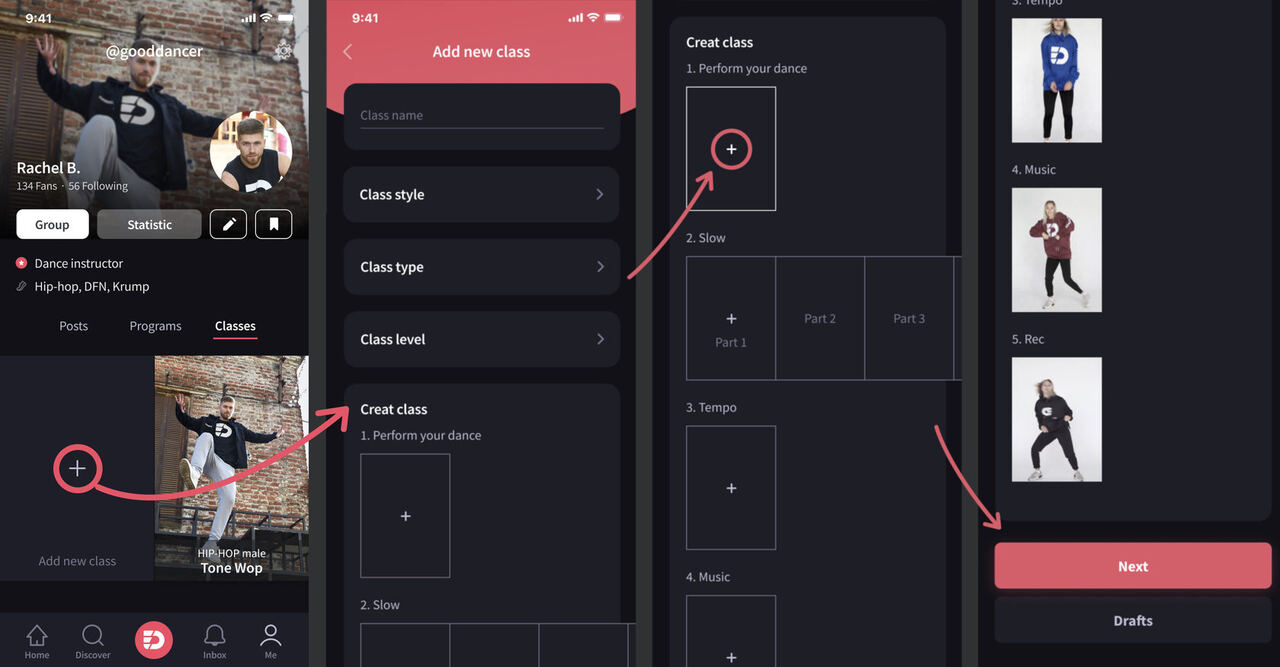
- Open your profile and go to the Classes tab. Tap the empty window with +.
- Fill in the information about your lesson.
- Start uploading the lesson by tapping the active window with +.
- Upload the stages in order and tap Next.
Your lesson is now uploaded.
What should my dance program consist of?
Your program should consist of at least 4 lessons of one dance style.
How to upload a program
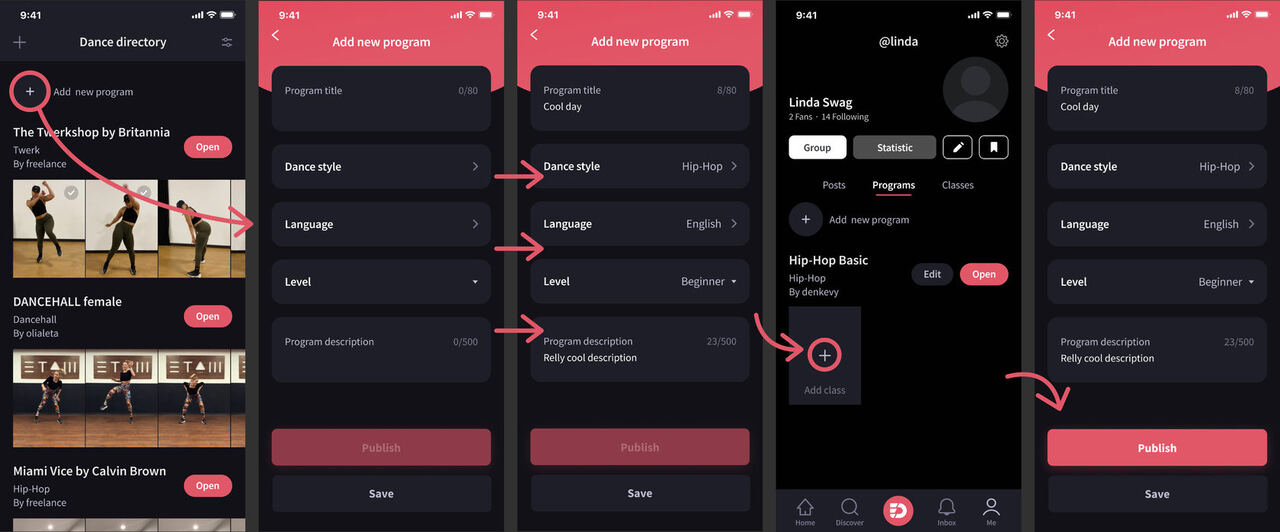
- To add a new program, go to your profile on the Programs tab or Directory and tap the circle with a + sign.
- Fill in the information: Name of program, Style, Language, Price — then tap SAVE.
- Add your dance classes. Tap the empty field with a + sign to upload them.
- When all lessons are uploaded, go to Edit Program and tap Publish.
Online groups
Want to run a live online group? Email us at support@everdance.app with the proposed schedule and we'll set it up on your profile.